
 EN
EN  EL
EL  DE
DE  ES
ES  HU
HU  FR
FR  PL
PL 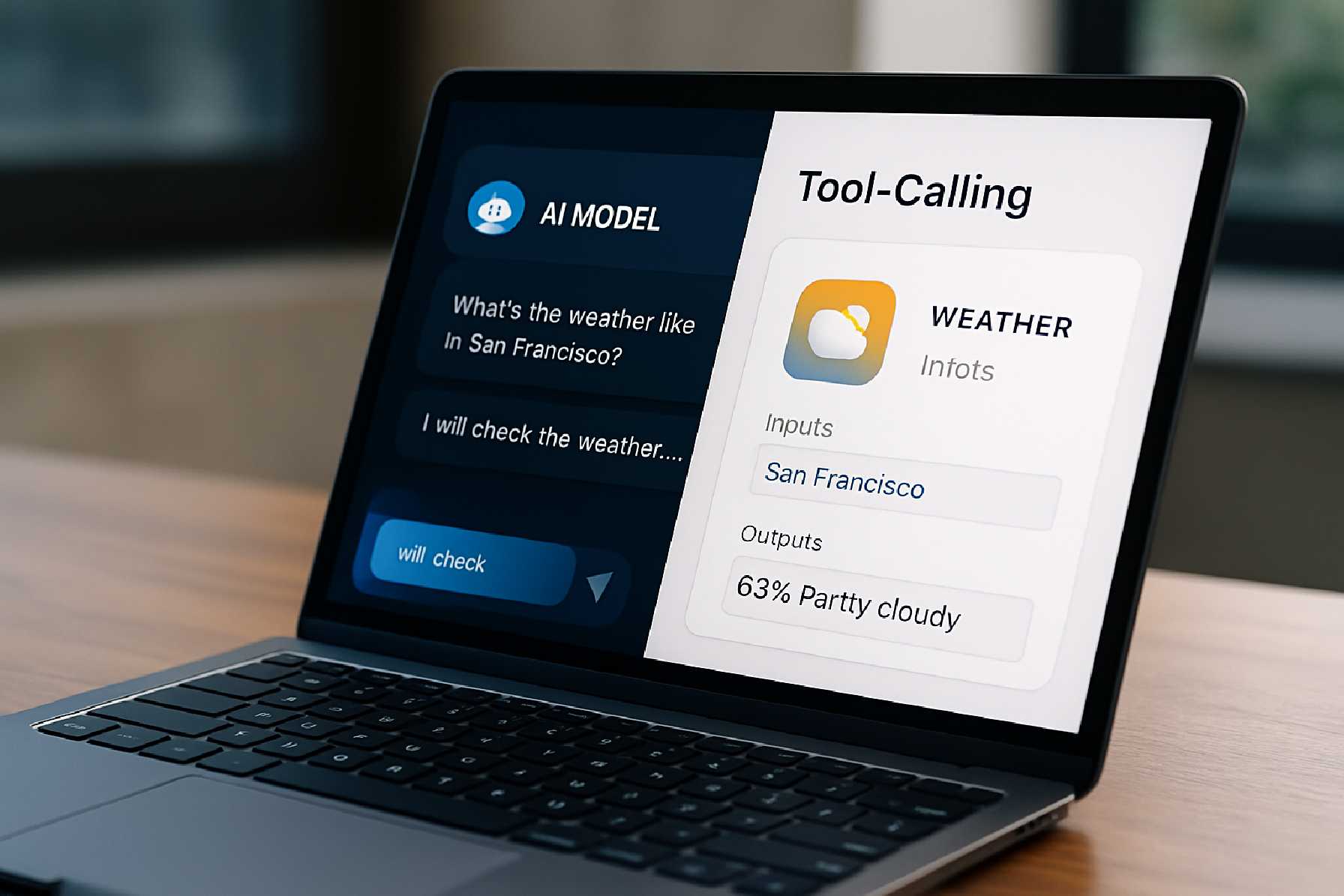
How Tool-Calling AI Models Are Changing Mobile App Development by Performing Actions Inside Apps
For years, most AI features inside apps have been largely passive. They could summarize, recommend, classify, or answer questions. Useful, certainly, but limited. The next shift is more consequential: AI models that can call tools and trigger actions inside software, not just talk about them.
That change matters for mobile app development because it moves AI from the interface layer into the operational core of the product. Instead of simply telling a user how to do something, a model can draft the email, schedule the appointment, update the task, search internal records, submit the support ticket, or prepare the checkout flow—provided the app gives it controlled access to those tools.
In practical terms, tool-calling AI means an app can expose specific functions to a model through structured interfaces. The model interprets a user’s request, decides whether one of those functions is needed, passes the right parameters, and then uses the result to continue the interaction. The app remains the system of record. The model becomes an orchestration layer.
For product teams, this creates both opportunity and risk. It can reduce friction, compress multi-step workflows, and make software feel far more responsive. It also raises serious questions about permissions, accuracy, privacy, UX design, auditability, platform rules, and the boundary between assistance and autonomy.
This is why tool-calling is quickly becoming one of the most important design and engineering questions in modern mobile application development.
What “tool-calling” actually means
The phrase can sound more mysterious than it is. A tool-calling model is an AI system that can choose from a defined set of application functions and request one when needed. Those functions might include “search customer records,” “create invoice,” “book ride,” “log workout,” or “add item to cart.”
The important point is that the model is not magically taking over the device. It is using access that developers explicitly provide. In most well-designed systems, the model never receives open-ended authority. It receives a menu of approved actions, descriptions of what they do, rules for when they can be used, and constraints around what data can be passed.
This is increasingly aligned with how the broader software industry is thinking about AI agents. Standards efforts such as Model Context Protocol, introduced by Anthropic as an open standard for connecting AI assistants to data sources and tools, reflect a wider push toward structured, interoperable ways for models to work with software systems. At the platform level, companies are also moving toward more formalized app intents, function schemas, and permission-driven integrations rather than unrestricted automation.
In a mobile app, the result can feel simple. A user says, “Move my 3 p.m. meeting, message the attendees, and update the task deadline.” Under the hood, the app may route that request through several tools: calendar lookup, rescheduling logic, contact retrieval, message drafting, and project update. The model coordinates the flow, but the application still executes the actions.
Why this matters for mobile app development
Traditional mobile app design often asks users to navigate screens, forms, tabs, and settings to complete a task. That is not poor design; in many cases it is necessary. But there is a growing class of actions where the interface can become a bottleneck.
Tool-calling changes the app development process because teams are no longer designing only screens. They are also designing callable capabilities. That requires thinking about what the app can do as a set of safe, modular, machine-readable operations.
For mobile app developers, this means the architecture behind the app becomes more important than the surface interface alone. Clean APIs, robust state management, clear role-based access control, audit logs, and predictable function behavior become essential. A model cannot reliably call tools that are poorly defined, inconsistent, or deeply entangled with front-end logic.
For product managers, the strategic implication is equally important. The value of the app may shift from “how many taps does this workflow need?” to “how confidently can the app execute the user’s intent?” That is a meaningful difference in digital product management.
The most practical use cases inside apps
Not every app needs AI-driven action execution. But certain categories are especially well suited to it.
Productivity apps are a natural fit. A work management app can let users say, “Create a task for the design review next Thursday, assign it to Maya, and attach the latest brief.” Instead of acting as a chatbot layered awkwardly on top of the product, the model is using native app capabilities.
Customer support apps are another strong case. An AI assistant can identify the user, inspect recent orders, initiate a return, escalate the case, and generate an internal summary for a human agent. That can reduce handling time, but only if the workflow includes confirmation steps and a clear audit trail.
Commerce and banking require more caution, but they are also compelling examples. A retail app might let a user say, “Reorder the same supplements I bought last month.” A finance app could help categorize transactions or prepare a transfer request. Yet in both cases, high-risk actions should require explicit user confirmation, and regulated sectors must consider industry-specific compliance obligations.
Health and wellness apps can also benefit. Logging symptoms, scheduling sessions, updating medication reminders, or pulling trends from tracked data are all plausible actions. However, teams should be especially careful not to overstate medical reliability or blur the line between administrative support and clinical decision-making.
From chatbot feature to product infrastructure
Many companies began with an AI chat interface because it was the fastest way to ship something visible. But tool-calling pushes teams beyond the chatbot mindset. The real work is in turning app functions into dependable services that a model can invoke safely.
That often requires changes across the stack. Back-end systems may need better endpoints. Mobile software development teams may need to separate business logic from UI flows. Analytics teams may need new event structures to track AI-initiated actions versus user-initiated ones. QA teams need test cases for partial failures, ambiguous requests, and edge-case permissions.
This is one reason some organizations are reassessing their approach to mobile app development. Shipping AI that can act inside a product is less about inserting an LLM into the app and more about maturing the product architecture around it.
What good user experience looks like
The biggest mistake teams make is assuming that if the model can perform actions, it should perform them invisibly. In reality, the best user experiences are usually transparent about what the AI is doing, what information it is using, and when user approval is required.
A strong pattern is “preview before commit.” The model can prepare an action—draft the message, fill the form, suggest the task details, or assemble the shopping cart—before the app executes it. This keeps the interaction fast without giving the system unnecessary freedom.
Another good pattern is progressive autonomy. Low-risk actions, such as searching internal content or pre-filling fields, can be automated more freely. Medium-risk actions, such as scheduling or editing records, may require confirmation. High-risk actions, such as payments, account changes, or sharing sensitive data, should typically involve explicit review and strong authentication.
Accessibility also matters. Voice- and language-driven actions can make an app more usable for some people, especially where navigation is cumbersome. But accessibility does not happen automatically. Teams still need to support screen readers, clear focus states, visible confirmations, and alternative input paths if AI interpretation fails.
Security, privacy, and governance are not side issues
Once an AI model can trigger actions inside apps, governance moves to the center of the discussion. The core question is not just “Can the model do this?” but “Under what conditions should it be allowed to do this?”
Developers should think in terms of least privilege. A tool should expose only the minimum action required. If a function only needs to fetch order status, it should not also expose full customer records. If the app allows a model to create a support case, it may not need permission to close one.
Data minimization is equally important. Privacy frameworks such as the EU General Data Protection Regulation emphasize collecting and processing only the data necessary for a given purpose. For app teams, that means being careful about what user information is sent to models, what is retained, and whether personal data is used for model training or only for inference in a tightly controlled context.
Logging and auditability are critical in business apps. Teams should be able to answer simple but important questions: What did the model request? Which tool was called? What parameters were passed? What result came back? Was the action shown to the user? Was it confirmed?
Without that operational visibility, debugging becomes painful and accountability becomes vague.
Reliability is the hidden challenge
A polished demo can make tool-calling look straightforward. Production systems are messier. Users are ambiguous. Back-end systems fail. Permissions change. Data is incomplete. External APIs time out.
This is where mobile app developers need to be disciplined. Tool definitions must be precise. Validation must happen before execution. The app should handle cases where the model selects the wrong function, omits a parameter, or produces an answer that sounds confident but does not match the system state.
One practical safeguard is to use deterministic code for business rules and reserve the model for interpretation and orchestration. In other words, let the model understand “what the user wants,” but let conventional software decide “whether this action is valid” and “how it should be executed.”
That division of responsibility is not glamorous, but it is often the difference between a feature that feels trustworthy and one that feels erratic.
Native, cross-platform, and back-end considerations
From a platform perspective, tool-calling AI does not eliminate familiar technology decisions. Teams still need to choose between native iOS app development, native Android app development, or cross-platform app development based on performance needs, team skills, budget, and product goals.
What changes is the emphasis. The AI layer often depends more on the back end than on the front end. If the core capability is “understand intent and trigger safe actions,” then the quality of the service layer, APIs, identity system, and observability stack may matter more than whether the mobile UI was built with one framework or another.
That said, platform-specific capabilities still matter. Native implementations may give better access to device-level permissions, local performance optimization, and tighter integration with operating system features. Cross-platform app development can still be entirely sensible for many products, especially if AI calls mostly hit back-end tools rather than complex on-device features. The trade-off is not ideological; it is architectural.
Business implications: cost, maintenance, and product scope
For executives and product owners, one of the biggest misconceptions is that AI action-taking will reduce the app development cost simply by replacing interface work. In reality, it often redistributes cost rather than removing it.
You may save effort in certain flows by reducing UI complexity. But you may spend more on API hardening, security reviews, analytics, model evaluation, prompt and tool design, testing infrastructure, and ongoing monitoring. AI-enabled features also tend to increase operational maintenance because models, prompts, and usage patterns evolve over time.
This is why custom mobile app development in the AI era should begin with narrow, high-value workflows. A focused feature that saves real time or reduces abandonment is usually a better investment than a broad assistant that tries to do everything and does little reliably.
Teams should also define success carefully. Better engagement metrics may not tell the full story. In many cases, the right measures are task completion rate, error reduction, support deflection, user trust, or time-to-outcome.
What app store and platform rules may affect
App teams also need to remember that AI features do not exist outside normal platform governance. Apple’s App Store Review Guidelines and Google Play policies continue to apply around privacy, user consent, safety, deceptive behavior, payments, and account management.
If an AI assistant can create content, message others, trigger purchases, or handle personal data, those capabilities may raise review questions about moderation, disclosure, and user control. Developers should not assume that a model-driven action is treated differently just because the user initiated it in natural language.
Clear disclosures, explicit consent, and conservative defaults are not just good product choices. They are often the practical way to avoid policy and trust problems later.
What to build first
The strongest early candidates for tool-calling are workflows with three characteristics: they are repetitive, they have clear business rules, and they create user friction in their current form.
A good example is appointment rescheduling. Another is reordering a previous purchase. Another is generating a structured support request from a messy user message. These are bounded tasks. They have a visible payoff. And they can usually be designed with confirmation checkpoints.
By contrast, broad “do anything for me” assistants are far harder to make dependable. They tend to expose too many edge cases, too many permissions questions, and too much uncertainty about whether the AI or the user is actually in control.
Summary of the main considerations
| Issue | Why It Matters | Practical Approach | Main Trade-Off |
|---|---|---|---|
| Tool design | Models need clear, structured functions to act reliably inside apps | Define narrow tools with strong validation and limited scope | More design and engineering effort up front |
| User experience | Action-taking AI can reduce friction or create confusion | Use previews, confirmations, and visible status updates | More steps for some tasks, but better trust |
| Security and privacy | AI-triggered actions can expose sensitive data or risky permissions | Apply least privilege, data minimization, and audit logs | Tighter controls may limit convenience |
| Reliability | Models can misunderstand requests or call the wrong function | Keep business rules in deterministic code and test failure paths | Less “magical” flexibility, more predictable behavior |
| Platform strategy | AI features still depend on mobile architecture and OS constraints | Choose native or cross-platform based on integration needs | No single approach is best for every product |
| Business value | Not every AI action feature justifies its complexity | Start with narrow, high-friction workflows tied to measurable outcomes | Smaller initial scope may feel less ambitious |
Questions readers should ask before building tool-calling AI into an app
- Which user tasks in our app are repetitive, rules-based, and valuable enough that AI-driven action execution would save meaningful time?
- What actions can be safely automated, and which ones should always require explicit user confirmation or stronger authentication?
- Do our APIs, permissions model, and audit logging support reliable tool-calling, or are they too tightly coupled to current UI flows?
- How will we measure success: faster completion, lower support volume, reduced abandonment, higher retention, or something else?
- What data will the model need to access, and can we justify that access under our privacy obligations and platform policies?
The bottom line
Tool-calling AI models represent a real shift in how apps can work. The most important difference is not that the app can chat. It is that the app can act.
For teams involved in mobile product development, that opens a more ambitious future than recommendation engines or text assistants alone. But it also demands better software structure, clearer permissions, tighter governance, and more deliberate UX design than many first-wave AI features required.
The winners in this space are unlikely to be the apps that offer the most dramatic demos. They will be the ones that make action-taking AI feel dependable, comprehensible, and genuinely useful in everyday use.
That is a high bar. It is also the right one.