
 EN
EN  EL
EL  DE
DE  ES
ES  HU
HU  FR
FR  PL
PL 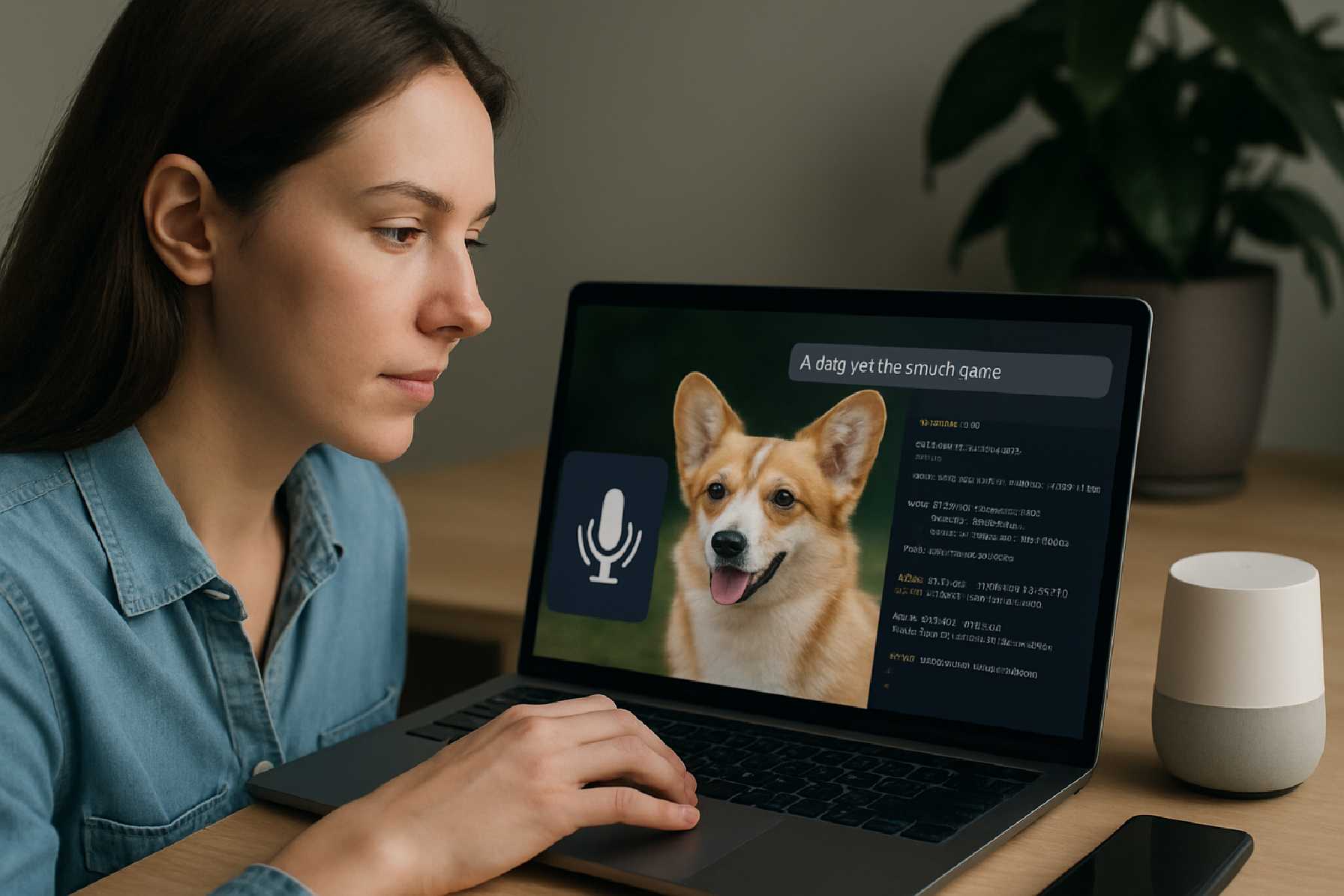
Building Multimodal Apps in Mobile App Development: How Voice, Images, and Text Are Changing Product Design
For years, most digital products asked users to do one thing well: tap, type, and navigate screens. That model still matters, but it no longer describes the full reality of modern mobile app development. Users now expect to speak to apps, upload a photo instead of describing a problem, and move between text, voice, and camera input without friction.
This is the promise of multimodal apps: software that understands and responds through more than one mode of interaction. In practice, that often means combining voice, images, and text in a single product flow. A user might photograph a damaged appliance, describe the issue aloud, and receive step-by-step text instructions. Or they might ask a travel app a spoken question, confirm options on screen, and scan a passport with the camera.
For product teams, multimodal design is not just a technical trend. It is a strategic shift in how applications are built, how interfaces are simplified, and how mobile software development can better match real human behavior. People do not naturally operate in one mode at a time. They talk, point, look, type, and switch context quickly. Apps that reflect that reality can feel more intuitive, more accessible, and in some cases more efficient.
But building these products is harder than adding a microphone icon or an image upload button. Multimodal systems introduce new design questions, higher data complexity, stricter privacy obligations, and a wider range of failure points. A useful voice feature in a quiet room may break down in a noisy street. Image recognition may work well for common objects and struggle with edge cases. Text can offer precision, but it may also add friction when users want speed.
The challenge in mobile application development, then, is not whether to add more input types. It is deciding where multimodal interaction genuinely improves the user experience, and where it adds cost and confusion without delivering enough value.
What “multimodal” really means in app products
In technical terms, a multimodal application processes and combines different forms of input or output. The most common consumer-facing modes are text, speech, and images, though video, gesture, location, and sensor data can also be part of the same concept.
For a non-technical reader, the simpler definition is this: a multimodal app lets users communicate in more than one natural way, and the app can combine those signals to complete a task.
That distinction matters. A product is not automatically multimodal just because it contains a chat box and a camera. The real value emerges when those modes work together. For example, a healthcare intake app might let a patient type symptoms, photograph a rash, and answer follow-up questions by voice. Each input adds context. Together, they reduce ambiguity.
This is one reason multimodal design has become more relevant in mobile product development. Smartphones already contain microphones, cameras, touchscreens, GPS, and increasingly capable on-device processing. The hardware is mature. The question has moved up the stack: how should product teams orchestrate these capabilities into flows that are useful, reliable, and easy to trust?
Why multimodal interaction is gaining ground
Several industry shifts are pushing this model forward. First, users have become comfortable with speech interfaces through virtual assistants, dictation tools, and voice messaging. Second, computer vision has become more practical in mainstream products, from document scanning to visual search. Third, advances in machine learning and cloud infrastructure have made it easier to process mixed inputs at scale, even if implementation quality still varies widely.
There is also a straightforward business reason. Multimodal flows can remove friction in moments where typing is slow or impractical. Insurance claims, field service reporting, telehealth triage, warehouse operations, retail search, education, and travel are all strong candidates because users often need to describe physical things, act quickly, or work in less-than-ideal environments.
Consider a maintenance app used by field technicians. Text-only reporting forces workers to stop, type detailed notes, and manually classify problems. A multimodal version could allow a technician to capture a photo of equipment, speak an explanation, and receive a suggested fault category on screen. That may reduce administrative effort, but only if the system is accurate enough and the review process is clear.
That “only if” is important. Multimodal features can improve speed and usability, but they can also increase support burden if teams underestimate edge cases.
Where voice, images, and text each fit best
The strongest multimodal products do not treat every input mode as equal in every context. They assign each mode a job.
Voice is useful when speed matters, hands are busy, or the user’s intent is conversational. It works well for commands, simple queries, note capture, and accessibility support. It is less dependable in noisy environments, situations requiring privacy, or workflows demanding exact formatting.
Images are powerful when the subject is visual by nature: identity documents, receipts, damaged goods, plants, rooms, skin conditions, barcodes, whiteboards, and packaging. They can dramatically shorten tasks that would otherwise require long descriptions. But image-based features depend heavily on lighting, device quality, framing, and model training quality.
Text remains the most precise and reviewable medium. It is often best for confirmations, corrections, searchable records, legal disclosures, and structured details such as addresses, policy numbers, or medication instructions. In many app development processes, text acts as the stabilizing layer around less predictable voice and image inputs.
The practical design goal is not to replace text with speech or images. It is to combine them intelligently. A voice request may trigger a text confirmation. An image may generate a draft description that the user edits. A typed message may prompt the camera because visual evidence would improve accuracy.
Designing multimodal flows that feel natural
Good multimodal mobile app design depends less on novelty than on choreography. Users should understand what the app wants from them, what the system understood, and what to do when it gets something wrong.
That means transitions matter. If a user speaks a request, the app should show a readable transcript or summary. If the user uploads a photo, the app should explain what it detected and how confident it is when that is relevant. If the system needs clarification, it should ask in plain language rather than exposing technical uncertainty.
One common mistake in custom mobile app development is overcomplicating the interface in the name of flexibility. Offering voice, text, and image input on every screen may look advanced, but it often creates hesitation. Users need cues. When should they talk? When should they type? When is the camera actually helpful?
A stronger approach is situational prompting. In a food logging app, for example, the camera may be the primary input at meal capture, while text search remains available for packaged items and voice works best for quick additions such as “add black coffee.” Each mode appears where it makes sense.
Accessibility should also be treated as a core product concern, not a side benefit. Voice features may help users with motor impairments. Text alternatives matter for users who cannot or do not want to speak. Image-dependent flows need screen reader support and fallback logic. Platform guidelines from Apple and Google have long emphasized accessibility, and app teams that ignore it often create products that are not only exclusionary, but weaker overall.
The architecture question: on-device, cloud, or hybrid?
Behind every polished multimodal experience is an architectural decision that has consequences for performance, privacy, and cost. Some processing can happen on the device. Other tasks may rely on cloud services. Many apps use a hybrid approach.
On-device processing can improve responsiveness, reduce network dependency, and help with privacy-sensitive use cases. It is particularly attractive for features such as wake-word detection, basic speech recognition, image preprocessing, or lightweight classification. The trade-off is that mobile devices have limits in memory, battery, and model size, especially across a fragmented Android app development landscape.
Cloud-based processing offers more flexibility and typically supports larger, more sophisticated models. That can be important for high-accuracy transcription, image analysis, or systems that combine several models in sequence. The cost is latency, infrastructure spending, and increased complexity around data transfer and compliance.
Hybrid models are often the most practical option in iOS app development and Android app development alike. A mobile app might process some input locally, send only essential data to the server, and return a structured result for display. This approach can balance speed with capability, but it requires disciplined engineering and careful product scoping.
For teams evaluating a partner for mobile app development, these architecture decisions are often more important than the choice of front-end framework alone. A polished interface cannot compensate for unstable multimodal pipelines underneath.
Cross-platform app development and the reality of device variation
Multimodal features often expose the limits of one-size-fits-all thinking. Cross-platform app development can still be a sound choice, especially when teams need shared business logic, faster iteration, or budget control. But voice capture quality, camera handling, background processing, hardware acceleration, and OS-level permissions can vary in ways that affect the final experience.
That does not mean cross-platform is the wrong approach. It means teams should be realistic about where native optimization may still be required. Camera-intensive document scanning, advanced audio processing, or highly performance-sensitive image workflows may need platform-specific tuning even when the broader app is shared across codebases.
In practice, many mobile app developers combine shared layers with selective native modules. This gives product teams some efficiency without pretending that iOS and Android behave identically in multimodal contexts.
Privacy, consent, and compliance are product issues, not just legal issues
Multimodal apps often collect more sensitive data than standard forms-based products. A voice recording may reveal health details, accent, age cues, or background conversations. An image may contain faces, addresses, documents, or bystanders. Text can include account information, medical notes, or financial data.
This raises clear obligations around consent, retention, security, and transparency. Teams operating in regulated sectors need to account for applicable requirements, which may include GDPR in Europe, sector-specific health or financial rules, and platform-level privacy disclosures in app stores. Apple’s App Store and Google Play both require developers to disclose data collection practices, and both ecosystems have tightened expectations around permissions and user trust.
From a product perspective, privacy decisions shape adoption. Users are more likely to engage with voice and camera features when they understand why the app is requesting access, how the data will be used, and whether they can complete the task another way.
Minimal collection is often the best product strategy as well as the safest compliance posture. Do not store raw voice or image data unless there is a real business and user need. Do not request permissions too early. Do not hide processing steps that users would reasonably expect to know about.
Testing multimodal apps is messier than testing standard forms
Traditional mobile software development already involves device testing, network variation, UI consistency checks, and backend validation. Multimodal products add another layer: real-world unpredictability.
Voice features need testing across accents, speaking speeds, ambient noise, and microphone quality. Image flows need testing in poor lighting, glare, blur, partial framing, and different device cameras. Text needs validation for corrections, formatting, multilingual input, and accessibility tooling.
This is where many teams underestimate app development cost. The expense is not only in implementation. It is in data preparation, prompt and workflow tuning, exception handling, QA coverage, observability, and ongoing model evaluation. A feature that demos well internally may fail badly in production if the test environment is too clean.
Analytics are especially important here. Teams should measure more than feature usage. They should track completion rates by modality, fallback rates from voice to text, image rejection reasons, latency by step, and where users abandon the flow. Those signals often reveal whether a multimodal feature is actually reducing friction or simply relocating it.
Business value depends on workflow fit
Not every product needs multimodal interaction, and not every audience wants it. In some enterprise settings, structured forms are still the right answer because accuracy and standardization matter more than speed. In some consumer products, voice may be used occasionally but not frequently enough to justify deep investment.
The best use cases share a few traits. The task involves real-world objects or environments. The user benefits from faster capture. The app can combine signals to improve understanding. And there is a meaningful payoff, whether in conversion, support reduction, operational efficiency, or accessibility.
A shopping app with visual search is a good example. If users regularly struggle to describe an item in words, image input can create obvious value. A tax filing app, by contrast, may benefit from document scanning, but core workflows still depend on carefully reviewed text and numbers. The multimodal layer helps at the edges; it does not replace the structured backbone.
That distinction can keep product strategy grounded. Multimodal design should solve a user problem, not showcase technical ambition.
What successful teams do differently
The most credible multimodal products usually start with one high-value moment rather than a broad platform vision. They identify a painful step in the user journey, test whether an additional input mode improves it, and expand only after the evidence is clear.
They also design for failure from the beginning. If speech recognition is weak, the transcript should be editable. If an image cannot be parsed, the user needs a simple manual path. If confidence is low, the system should avoid pretending otherwise.
And they treat the app development process as iterative. Multimodal systems improve through usage data, edge-case discovery, and repeated refinement. That makes roadmap discipline essential. Launching a smaller, measurable feature is usually wiser than attempting an all-encompassing assistant that touches every screen and every workflow.
Summary of the main considerations
| Area | What to Consider | Main Trade-Off |
|---|---|---|
| User experience | Choose the right mode for the task: voice for speed, images for visual context, text for precision and review. | More flexibility can also create confusion if prompts and transitions are unclear. |
| Technology architecture | Decide between on-device, cloud, or hybrid processing based on latency, privacy, and model complexity. | Better performance or privacy may limit capability; richer cloud processing may add cost and delay. |
| Platform strategy | Assess whether cross-platform tools are sufficient or native optimization is needed for camera and audio workflows. | Shared code can save time, but device-specific tuning is often necessary. |
| Privacy and compliance | Handle permissions, consent, retention, and sensitive data disclosures carefully. | More data can improve features, but it increases regulatory and trust risks. |
| Testing and analytics | Test in real-world conditions and track modality-specific completion, failure, and fallback rates. | Higher QA and monitoring effort is required to maintain reliability. |
| Business value | Focus on workflows where multimodal input clearly reduces friction or improves outcomes. | Impressive features do not always justify implementation and maintenance costs. |
Questions readers should ask before building a multimodal app
Before committing budget and roadmap space to this kind of product, teams should ask a few practical questions.
- Which specific user task becomes materially easier if voice, image, or text inputs are combined rather than offered separately?
- What happens when speech recognition, image capture, or classification fails, and is the fallback path good enough for real users?
- Do privacy expectations, industry regulations, or app store disclosure requirements make certain data flows too risky or too complex for the initial release?
- Will cross-platform app development meet the performance needs of camera and audio features, or does the use case justify native optimization?
- How will the team measure success beyond usage, including accuracy, completion rates, support impact, accessibility outcomes, and maintenance overhead?
The larger lesson for mobile product teams
Multimodal apps represent an important direction in mobile app development, but not because they are fashionable. They matter because they bring software closer to the way people naturally communicate and observe the world.
Still, multimodal does not automatically mean better. The best products are selective. They know when voice is faster, when images add essential context, and when text remains the most dependable choice. They respect privacy, account for technical limits, and give users control when the system is uncertain.
For product managers, designers, and engineering leaders, that is the real opportunity. Not to build an app that does everything at once, but to build one that uses the right mode at the right moment for a user who is trying to get something done.
In that sense, multimodal design is less about adding features than about improving fit. And in modern mobile application development, fit is often what separates a clever demo from a product people genuinely rely on.