
 EN
EN  EL
EL  DE
DE  ES
ES  HU
HU  FR
FR  PL
PL 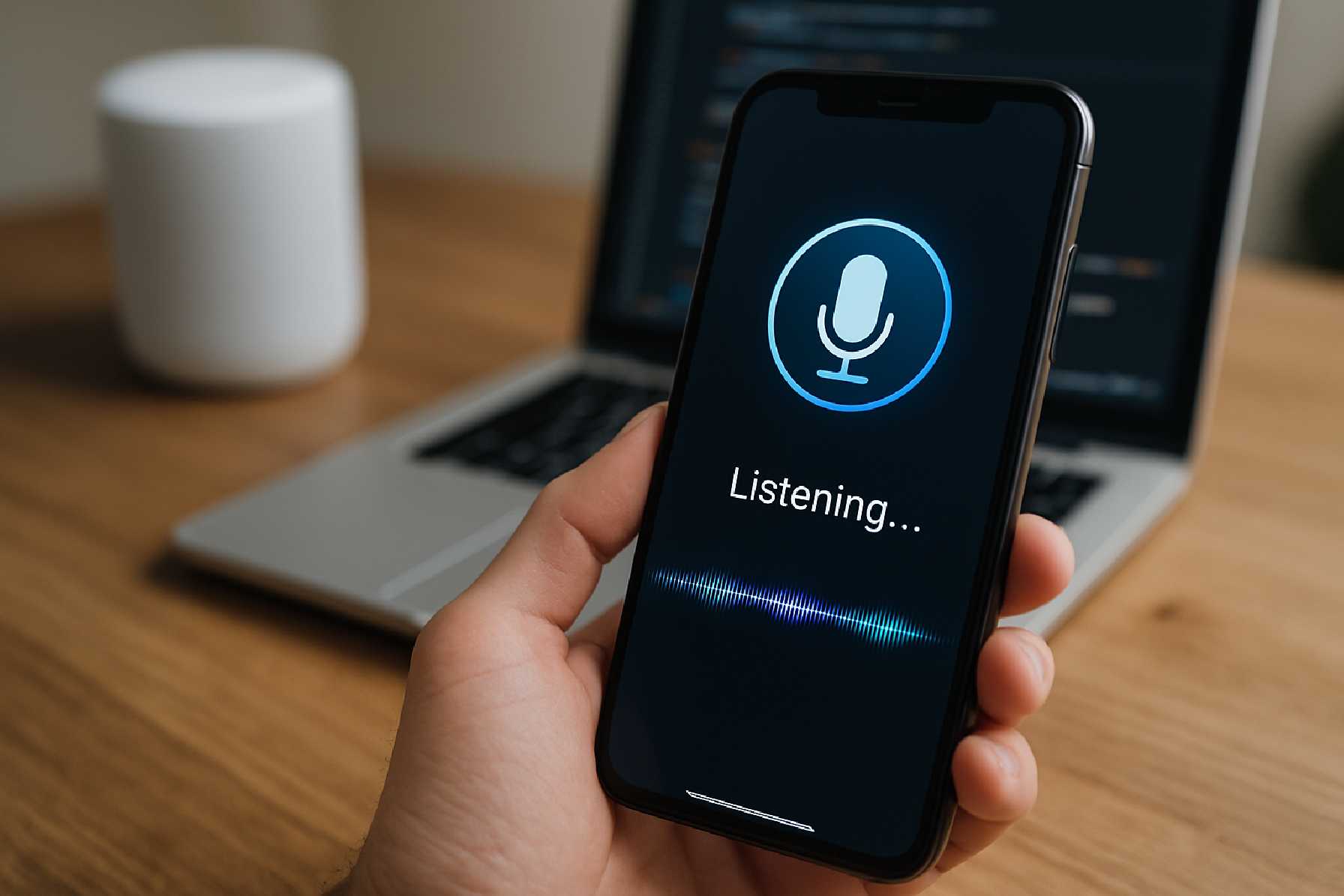
Building Mobile Apps That Understand Natural Language: What Modern Mobile App Development Needs to Get Right
For years, mobile interfaces trained users to think like software. Tap this button. Follow that menu. Use the exact command the system expects. Natural language technology is changing that bargain. Increasingly, people expect apps to understand plain English and, in many markets, many other languages as well.
That shift matters for far more than chatbots. In modern mobile app development, natural language capabilities can shape search, onboarding, accessibility, customer support, productivity, and even core transaction flows. A fitness app might interpret “show me my longest run this month.” A banking app might parse “how much did I spend on groceries last week?” A travel app might turn “find me a direct flight to Berlin next Friday after work” into structured search filters.
The opportunity is real, but so is the complexity. Building mobile apps that understand natural language is not simply a matter of adding a text box and connecting it to a large language model. Product teams have to think carefully about user intent, accuracy, latency, privacy, platform constraints, app store rules, and the cost of maintaining language-driven features over time.
This is where the conversation becomes practical. Natural language features can make an app feel modern and useful, but only when they are tied to a clear job the user wants done.
Why natural language has become a serious product feature
Several forces have pushed natural language understanding from experimental feature to mainstream product consideration. First, users have become familiar with conversational interfaces through voice assistants, customer service chat, and AI tools. Second, mobile operating systems and cloud platforms now offer more mature speech, text, and language services than they did a few years ago. Third, advances in machine learning have improved the quality of intent detection, summarization, translation, and question answering.
There is also a business reason. Search friction is expensive. Every time users fail to find a function, product, record, or answer inside an app, conversion drops and support demand rises. Natural language can reduce that friction by letting users ask for what they want in their own words instead of learning a rigid navigation model.
Still, teams should distinguish between verified capability and marketing language. Natural language understanding is not the same as true reasoning, and it is not automatically reliable in high-risk contexts. In healthcare, finance, insurance, or legal workflows, even a small misunderstanding can create significant user harm. That does not make language features inappropriate; it means they must be designed with controls, review paths, and clear boundaries.
What “understanding natural language” really means in mobile app development
In product discussions, “understands language” often gets used loosely. In practice, there are several different capabilities, and they do not all require the same architecture.
At the simplest level, an app may detect intent. If a user types “I need to change my password,” the system routes them to the correct support flow. A more advanced implementation may extract entities such as dates, locations, product names, or account references. More sophisticated systems may summarize messages, generate replies, classify support tickets, translate content, or answer questions based on trusted internal data.
That distinction matters for the app development process. A food delivery app that only needs to interpret “order my usual” has a very different technical and compliance profile from an enterprise field-service app that turns technician notes into structured reports. One may be handled through carefully scoped command interpretation. The other may require a full retrieval and generation pipeline, audit logging, human review, and stricter access controls.
For product managers and non-technical stakeholders, the practical lesson is simple: define the task before choosing the technology.
Start with a narrow use case, not a broad promise
One of the most common mistakes in mobile application development is beginning with the idea of “an AI assistant” rather than a concrete user problem. That usually leads to feature sprawl, vague requirements, and disappointing performance.
A better approach is to identify one high-value interaction where natural language can remove friction. Examples include:
-
searching a complex catalog in retail or travel
-
querying personal activity or transaction history
-
speeding up customer support triage
-
capturing notes hands-free for field or healthcare workers
-
improving accessibility for users who struggle with dense navigation
These are not equally difficult. Search and routing tasks are often easier to control. Open-ended advice generation is harder and riskier. Teams that start narrow can test real demand, measure accuracy, and understand operational costs before expanding.
This is also where experienced mobile app development teams often add value: by reducing an abstract AI ambition into a specific product interaction that can be tested, measured, and improved.
Designing the user experience: conversation is not the whole interface
The best natural language features in mobile apps rarely replace traditional interface elements entirely. They work alongside them. A user may type “show invoices from March,” but the app should still present filters, date chips, edit controls, and confirmation states.
This hybrid design matters because natural language input is flexible, but also ambiguous. Users often benefit from seeing how the system interpreted their request. If someone says, “book me a hotel in Paris next weekend,” the app should expose the parsed dates, location, budget assumptions, and occupancy details before the transaction continues.
Good mobile app design also accounts for failure gracefully. When the system is uncertain, it should ask a focused follow-up question rather than pretend confidence. “Did you mean Paris, France, or Paris, Texas?” is a better experience than showing irrelevant results.
On mobile, brevity matters. Small screens are unforgiving. Explanations, confirmations, and generated answers have to be concise enough to scan quickly while still making the system’s decision understandable.
Choosing between on-device and cloud-based language processing
One of the central technical decisions in mobile software development is where language processing happens. Some tasks can run on-device. Others depend on cloud services.
On-device processing can improve privacy, reduce network dependency, and in some cases lower latency. It can be especially useful for wake-word detection, basic speech recognition, local command parsing, or accessibility features. It may also help when regulations or internal policies discourage sending sensitive text or audio off the device.
Cloud-based processing usually offers more computational power and can support more advanced models, broader language coverage, centralized updates, and tighter integration with enterprise systems. But it introduces trade-offs: network reliance, operating cost, possible vendor dependency, and additional data governance obligations.
There is no universally superior model. For iOS app development and Android app development alike, the right architecture depends on the use case. A note-taking app that transcribes meetings may tolerate cloud processing if users consent and data is protected. A mental wellness app handling sensitive personal reflections may need a more privacy-preserving approach.
Accuracy is a product issue, not just a machine learning issue
Teams often discuss model quality as though it lives only inside engineering. In reality, accuracy in natural language features is shaped by product scope, UX design, data quality, and feedback loops.
If users can ask anything, the system must handle an enormous range of phrasing and intent. If the app supports only a bounded task, performance is easier to improve. That is why domain-specific language often outperforms generic conversation in production apps. A finance app can be trained and tested around merchants, balances, subscriptions, and budgeting terms. A logistics app can focus on routes, delays, inventory, and service tickets.
Evaluation should also reflect real use. It is not enough to test whether a model produces fluent answers. Teams need to know whether it correctly identifies intent, extracts the right parameters, and safely declines unsupported requests. In many business contexts, a short, correct answer is more valuable than an impressive but unreliable one.
This has implications for app development cost as well. Language features are not “build once” components. They require testing with real user phrasing, monitoring after release, and regular updates as products, policies, and user behavior change.
Privacy, security, and compliance cannot be added later
Natural language features often involve sensitive data because users tend to express themselves freely. They may enter account details, health symptoms, private messages, location clues, or commercially confidential information without realizing how much they are revealing.
That creates clear responsibilities. Teams need to define what data is collected, where it is processed, how long it is stored, who can access it, and whether it is used for training or analytics. These decisions should be shaped by applicable law, internal policy, and user expectations.
For teams operating in markets affected by privacy regimes such as the EU’s General Data Protection Regulation or California’s consumer privacy rules, natural language features deserve particular scrutiny. Even where a specific regulation does not prohibit a feature, transparency and data minimization are sound product practices.
Security design also matters. Free-text input can become a route for prompt injection, data leakage, or unintended access to internal tools if the system is connected to backend actions. If a language layer can trigger transactions, retrieve records, or summarize confidential content, the authorization model beneath it must be strict and testable.
Platform realities: iOS, Android, and cross-platform trade-offs
Natural language features do not remove the normal decisions involved in custom mobile app development. If anything, they make them more consequential. Teams still need to consider performance, release cadence, maintenance skills, and native platform capabilities.
In some cases, native implementation provides tighter integration with platform speech services, accessibility APIs, audio handling, and device-level privacy controls. That can be valuable for apps where voice and language are central to the experience.
Cross-platform app development can still make sense, especially when the natural language capability largely depends on a shared backend and the client interface is relatively standard. But product teams should test carefully for latency, microphone handling differences, offline behavior, and platform-specific UX expectations.
The right answer is often less ideological than practical. If the differentiator sits mostly in backend language orchestration, cross-platform may be efficient. If the differentiator depends heavily on native real-time interaction, local inference, or platform-level accessibility features, native development may be worth the added investment.
Accessibility is not a side benefit
One of the strongest arguments for language-aware apps is accessibility. Natural language input can help users with motor impairments, dyslexia, low vision, cognitive overload, or limited familiarity with app conventions. It can also reduce friction for users navigating in a second language.
But accessibility does not happen automatically. Voice input needs visible alternatives. Generated summaries should be readable by screen readers. Confirmation messages should be clear. Timing-sensitive interactions should not assume everyone can speak quickly or accurately in noisy environments.
In other words, natural language can expand inclusion, but only when it is integrated with broader accessibility practice rather than treated as a novelty feature.
Analytics: what success actually looks like
Measuring a natural language feature requires more than tracking engagement. High usage does not necessarily mean high utility. Users may be retrying because the system is failing.
Useful metrics depend on the use case. For search, teams might look at successful result selection after a query. For support triage, they might track resolution speed or deflection without a drop in customer satisfaction. For internal productivity tools, they might measure time saved in completing a repeat task.
Qualitative review matters too. Product teams should examine misunderstood requests, fallback rates, correction patterns, and abandonment points. These reveal whether the app’s “understanding” is aligned with user language or only with internal assumptions.
App store and governance considerations
Teams should also remember that natural language features exist within platform policies and public scrutiny. If an app collects voice or text data, permission prompts and disclosures must be handled carefully. If the feature produces health, financial, or safety-related information, claims about what it can do should be restrained and precise.
That is partly a compliance issue and partly a trust issue. Apps that overstate intelligence tend to create disappointed users, negative reviews, and avoidable support burden.
For digital product managers, the most durable strategy is to frame language capability as assistance within clear boundaries, not as autonomous expertise.
Where the technology is heading
It is reasonable to expect mobile apps to become more conversational over time. Better multimodal systems, stronger on-device processing, and improved orchestration between structured data and language models will likely make natural interaction more common.
That is a forward-looking view, not a guaranteed outcome. The winners will probably not be the apps that talk the most. They will be the apps that use natural language where it genuinely reduces friction, respects user trust, and supports the core product journey.
For business leaders, that means resisting the urge to add conversational AI everywhere. For mobile app developers, it means treating language as a product system made of design, architecture, data, governance, and iteration.
Summary table: key decisions in building natural language mobile apps
| Area | Main options or issues | Why it matters | Typical trade-off |
|---|---|---|---|
| Use case scope | Narrow task support vs open-ended assistant behavior | Defines complexity, accuracy, and risk | Narrow scope is more reliable; broad scope feels more flexible but is harder to control |
| Processing model | On-device vs cloud-based language processing | Affects privacy, speed, cost, and capability | On-device improves privacy; cloud usually offers stronger model capacity |
| User experience | Conversational UI alone vs hybrid UI with structured controls | Shapes clarity and error recovery | Pure chat is simple to start but often less precise for transactions |
| Platform strategy | Native iOS/Android vs cross-platform app development | Influences performance, integration, and maintenance | Cross-platform can reduce duplication; native may better support advanced device features |
| Data governance | What text/audio is collected, stored, and shared | Critical for trust, security, and compliance | Richer data can improve features, but increases privacy and security obligations |
| Success metrics | Engagement vs task completion and error rates | Prevents misleading conclusions about value | Usage alone may hide poor performance |
Questions readers should ask before building a natural language feature
Before committing budget or roadmap space, product teams should pressure-test the idea with a few direct questions.
-
What specific user task will natural language make faster, clearer, or more accessible than the current interface?
-
How much ambiguity can the feature safely tolerate, especially if it touches payments, health information, regulated content, or account changes?
-
Does this use case require cloud processing, or would an on-device or more limited approach better fit privacy and latency needs?
-
How will we measure success in production: completed tasks, reduced support load, better retention, or something else more meaningful than raw usage?
-
Do our internal teams or application development services partners have a plan for ongoing testing, monitoring, and governance after launch?
Building an app that understands natural language is no longer a speculative exercise. It is a practical product decision with real upside and real operational demands. The strongest teams in mobile product development are not asking whether they can add conversational capability. They are asking where language belongs, how much trust it should carry, and what it will take to make it dependable on the devices people use every day.